A Look at Get WorkGear’s Upgraded Order Management Tools
At Get WorkGear, our goal is to eliminate administrative overhead, cut ordering errors, and make managing workforce apparel as effortless as possible. Whether you are an apparel supplier overseeing dozens of client portals or an administrator managing staff uniform entitlements across complex, multi-site teams, staying on top of order flow is critical.
We are excited to share a first look at our upgraded Order Management Tools coming to the Get WorkGear administrative console.
Designed to give you clearer visibility and speed up your day-to-day batch processing, these updates streamline how you track, filter, and process team allocations.
What’s Changing in the Order Management Hub?
We’ve overhauled the orders dashboard to focus on speed, visibility, and operational control. Here is a breakdown of what you can expect:
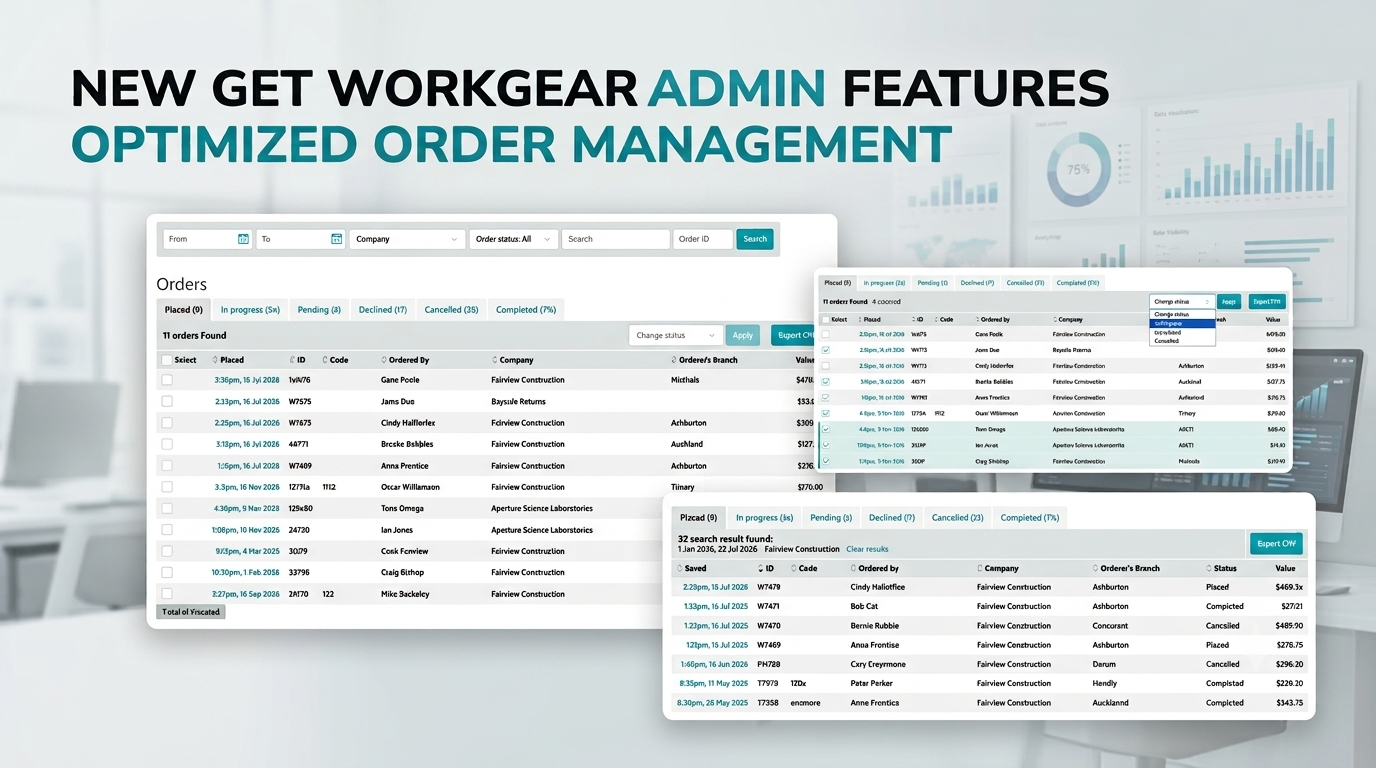
1. Intuitive Order Status Tabs
Instead of scrolling through a single mixed list of transactions, you can now instantly filter your view using dedicated status tabs:
- Placed: Freshly submitted orders ready for review or dispatch.
- In Progress: Orders currently being fulfilled, decorated, or packed.
- Pending & Declined: Included for complete audit visibility. You can easily view orders awaiting approval or those that were declined, with zero extra action required from your team.
- Cancelled & Completed: Historical logs kept organized and out of your active workspace.
2. Bulk Status Updating
Processing high-volume uniform rollouts shouldn’t require clicking into every single transaction. With our new bulk action capabilities, administrators can select multiple orders simultaneously and update their status in a single click – saving significant time when processing large batches.
3. Essential Data at a Glance
We have restructured the main list view so key details – such as allowance status, delivery parameters, and item counts – are visible upfront. This reduces the need to click back and forth between individual order pages just to check basic information.
4. Faster Search & Enhanced CSV Exporting
Finding specific orders for auditing or support is now much faster thanks to refined search logic and targeted filters. When you need to analyze allocation metrics or import data into external ERP, warehouse, or accounting systems, you can quickly export your refined search results directly to CSV.
A First Look at the New Interface
Here is a preview of how these updates come together inside your workspace:
- Initial View: Displays all active Placed orders ready for your immediate attention.
- Bulk Action Controls: Easily check multiple orders to update their status in one go.
- Action Confirmation: Clear visual prompts confirm your updates before changes are saved.
- Filtered Tabs: Instant visibility into In Progress, Pending, and Search views.
When Will This Be Available?
There is nothing you need to do
The upgraded order management interface will update automatically within your Get WorkGear dashboard as soon as deployment is complete. We are putting the finishing touches on testing and will notify all account administrators the moment it goes live.
This is what you can expect to see
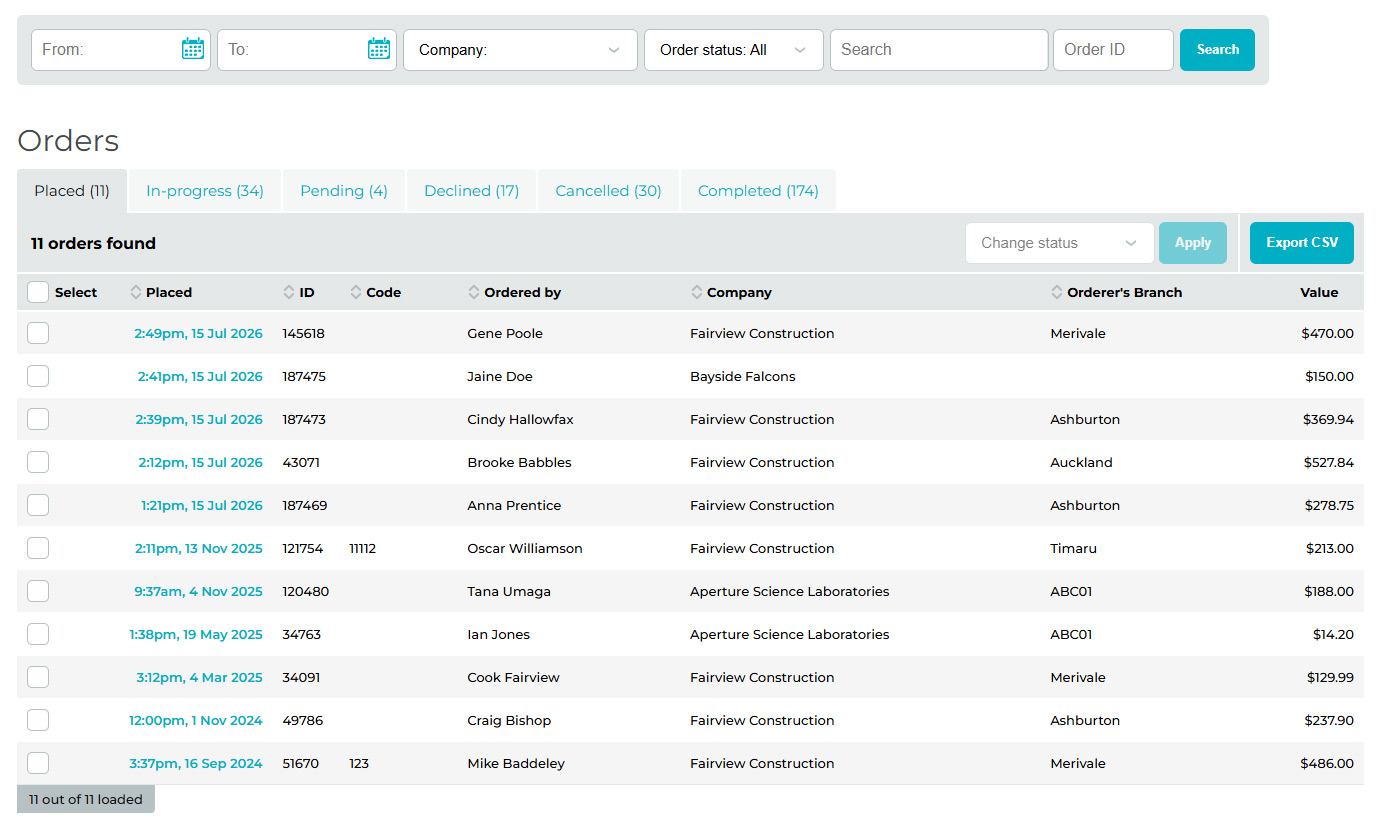
Initial view of placed orders |
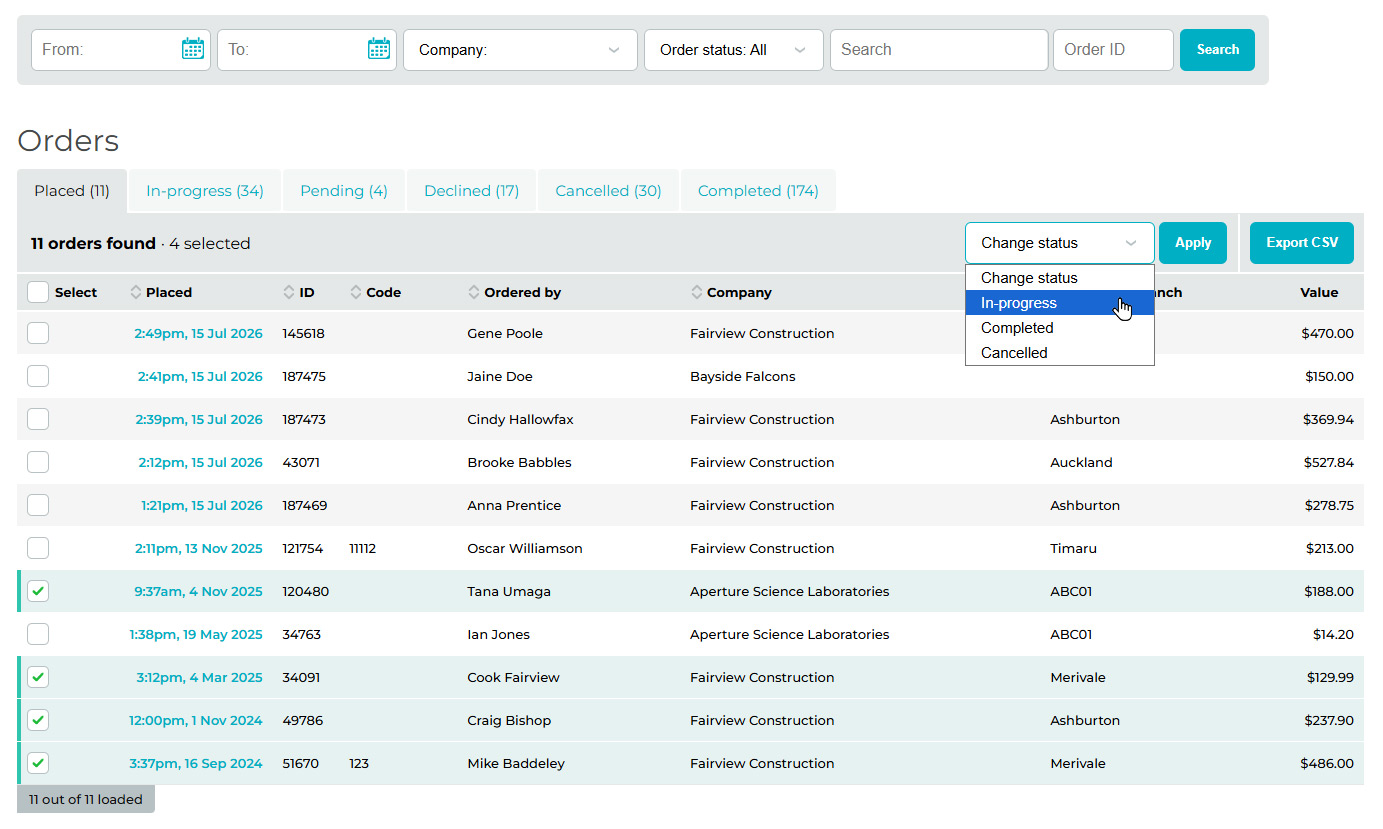
Bulk changing of orders screen |
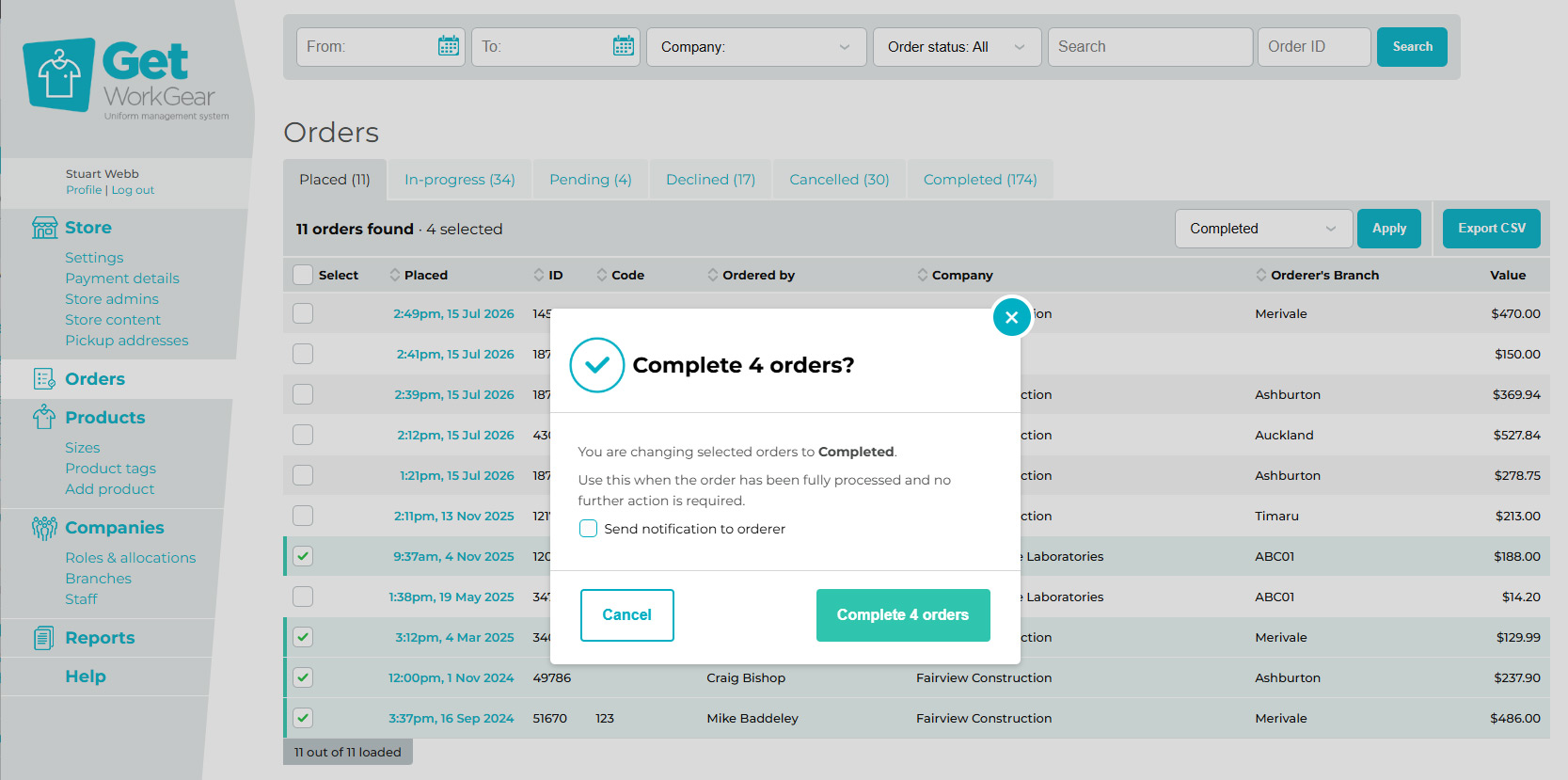
Change status confirmation |
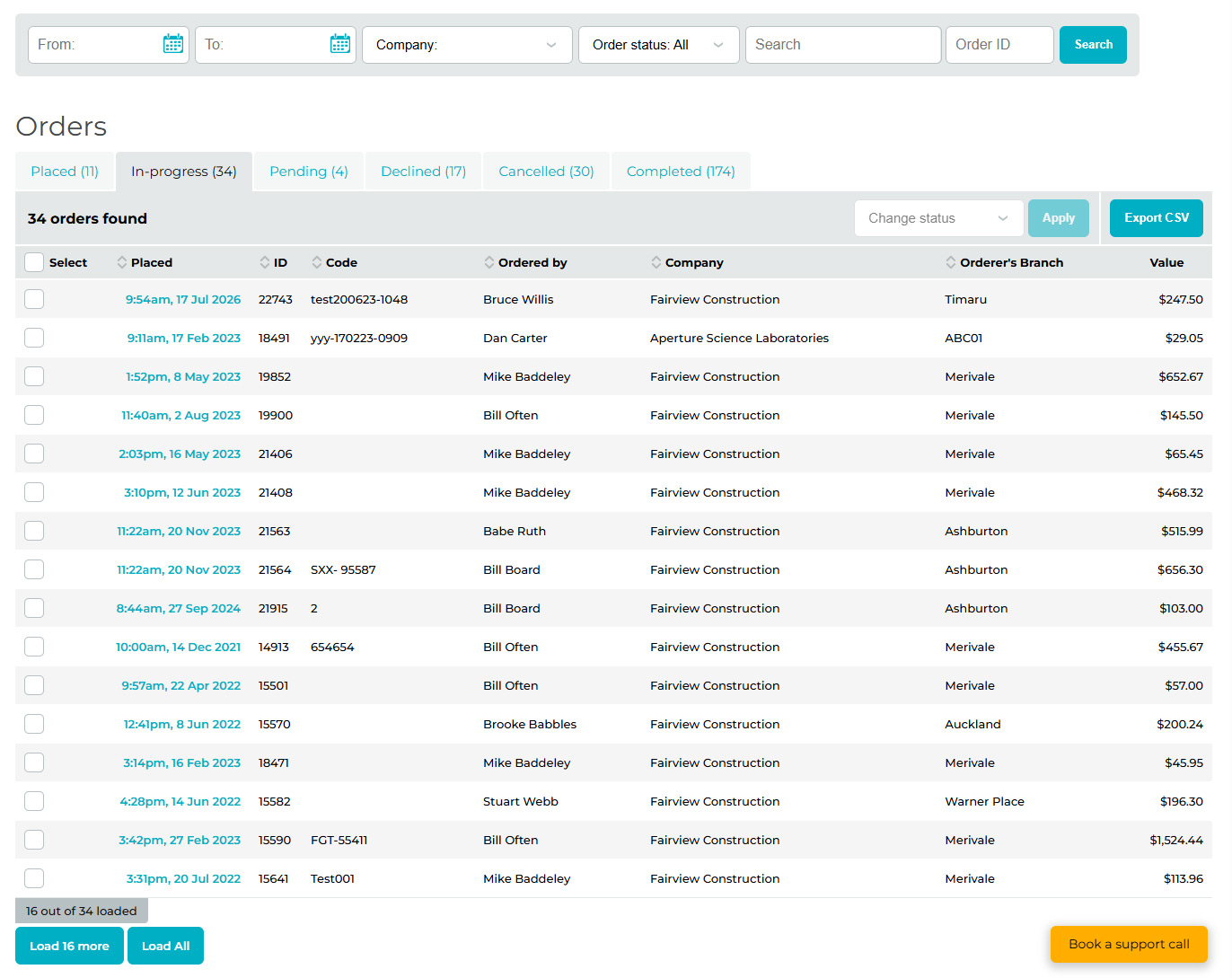
View in progress orders |
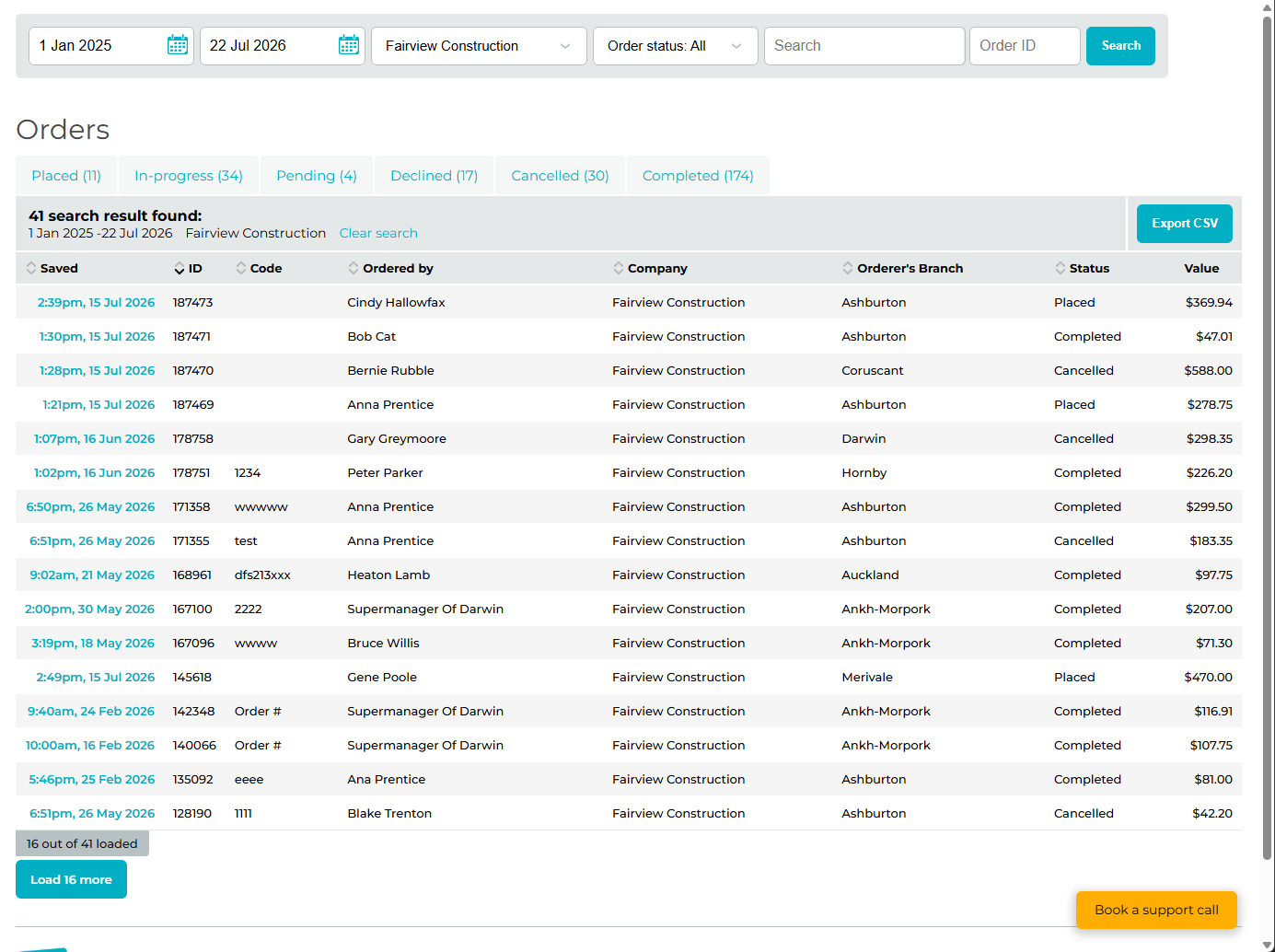
Order search result |
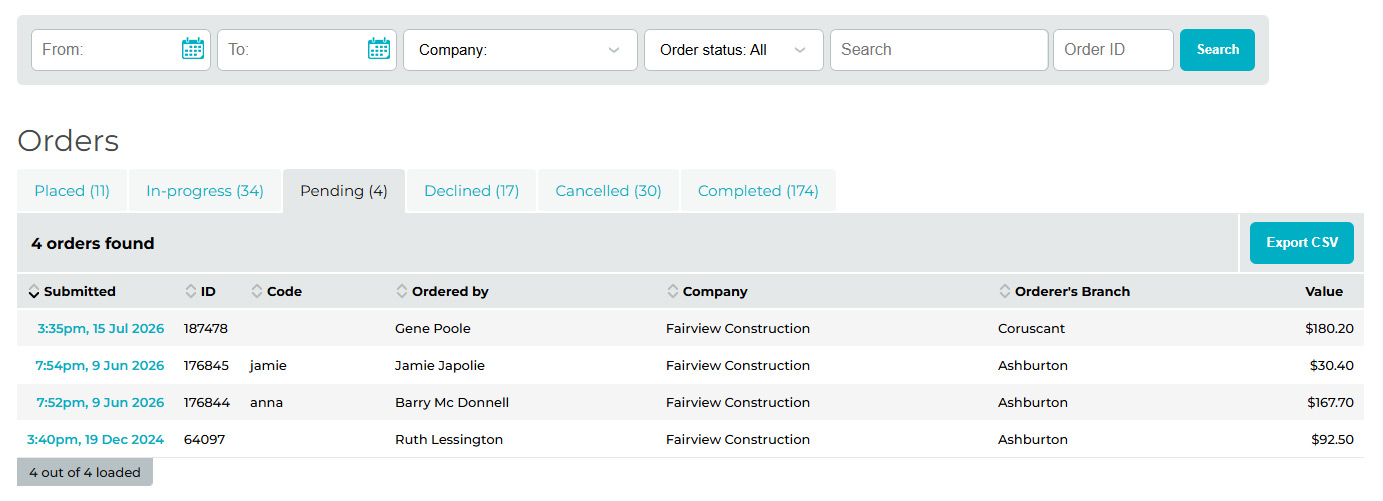
View pending orders |
Have questions about how these updates will fit into your current workflow? Reach out to our support team or explore our feature guides to learn how Get WorkGear continues to simplify uniform management.


Published on Thursday, 23 July 2026 under News & Updates.